
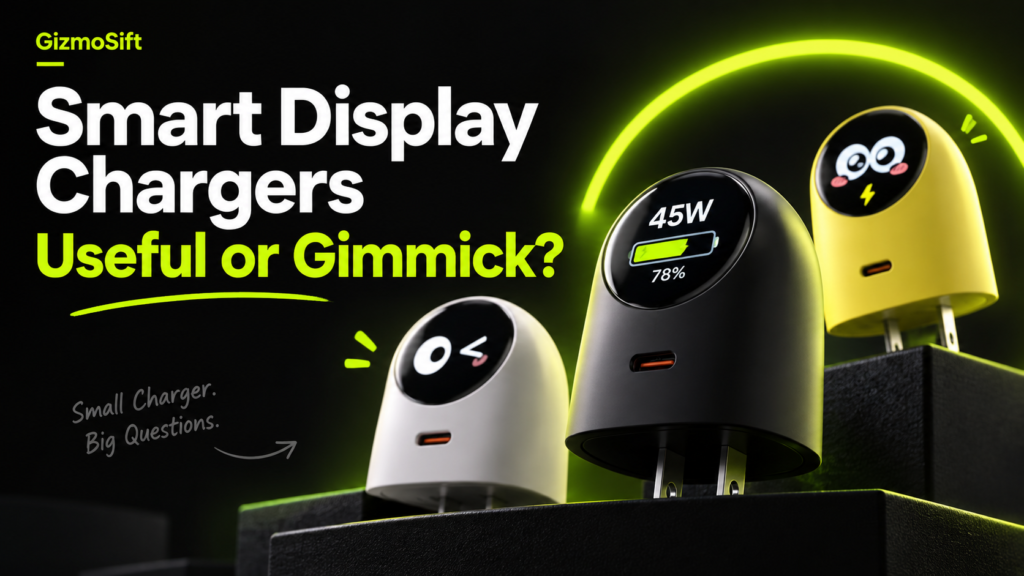
Putting a screen on a charger sounds like one of those ideas that could be either genuinely useful or pure gadget theater. The difference comes down to a simple question: does the display tell you something useful, or does it mostly exist to look interesting?
Quick answer: a smart display can be useful when it shows clear charging information such as power draw, device status or charging activity. It becomes more of a gimmick when the screen is hard to read, adds cost without adding useful information, or focuses mostly on animation.
What does a smart-display charger actually add?
A traditional charger usually gives you almost no feedback. You plug in a cable and trust that charging is working. Some models include a small indicator light, but that still tells you very little.
A display can make charging more visible. Depending on the charger, it may show information such as current power output, charging status, battery information reported by the connected device or animated feedback that confirms the connection is active.
When is the screen genuinely useful?
- Confirming that charging has started. A visible status can make it easier to catch a loose cable or connection problem.
- Seeing whether higher-power charging is active. A live power readout can help you understand whether a device is actually drawing more than a basic charging rate.
- Checking behavior at a glance. A useful screen can reduce the need for a separate USB power meter when you only want a quick indication of what is happening.
- Understanding different devices. If you use the same charger for a phone, tablet and another USB-C device, visible output information can make those differences easier to see.
When does it start to feel like a gimmick?
A display is less convincing when the information is vague, difficult to read or mostly decorative. If the screen mainly shows animations but does not help you understand charging behavior, then you are paying primarily for personality rather than function.
That is not automatically a bad thing. A charger can be both useful and fun. The important part is knowing whether the screen is adding practical value or simply making an ordinary accessory more visually distinctive.
The novelty test
One of the biggest questions with any screen-equipped accessory is what happens after the first week. Features that initially feel clever can fade into the background quickly.
For a smart-display charger to remain useful, the information should still matter after the novelty wears off. Clear wattage feedback, readable status information and useful charging data have a better chance of staying relevant than animation alone.
Does a display make the charger faster?
No. The screen itself does not increase charging speed. Charging performance still depends on the charger’s output, supported charging standards, the connected device, the cable and the battery’s current state.
If charging speed is your priority, start with wattage and protocol compatibility rather than the screen. Our 45W vs 20W charging guide explains why a bigger wattage number does not automatically mean every device will charge faster.
What should you look for before buying one?
- Readable information: Can you understand the display from a normal viewing angle?
- Useful data: Does it show meaningful charging information or mostly decoration?
- Charging fundamentals: Does the charger support the wattage and charging standards your devices need?
- Thermal behavior: A screen should not distract from heat management and overall charger quality.
- Size and portability: The display should not make the charger unnecessarily bulky for your use case.
- Price difference: Decide whether the screen is worth paying extra for compared with a simpler charger offering similar charging performance.
Who is most likely to appreciate a smart-display charger?
These chargers make the most sense for gadget enthusiasts, desk-setup fans, people who regularly switch between several USB-C devices, and anyone who likes seeing what their accessories are doing instead of treating them as invisible hardware.
If you simply want the smallest reliable charger at the lowest reasonable price, a screen may not improve your experience enough to justify the extra complexity or cost.
A real example: TORRAS FlashEye-Dot
The TORRAS FlashEye-Dot is one example of this trend. It combines a compact 45W USB-C charger with a circular smart display designed to make charging information more visible.
We have not completed a hands-on test of the FlashEye-Dot, so we are not using it as proof that smart displays are universally useful. It is simply a good example of where the category is heading: chargers are starting to compete not only on power and size, but also on the information they show you.
The GizmoSift rule: performance first, screen second
Our view is simple: the display should be an extra, not an excuse to compromise on the basics. Charging performance, compatibility, heat management, build quality and portability still matter more than animation or visual novelty.
If the screen makes charging easier to understand, it can be a genuinely useful feature. If it mainly makes the charger look more exciting, then it is closer to a design choice than a functional upgrade.